
AMD Optimizes Stable Diffusion 3 Medium for XDNA 2 NPU
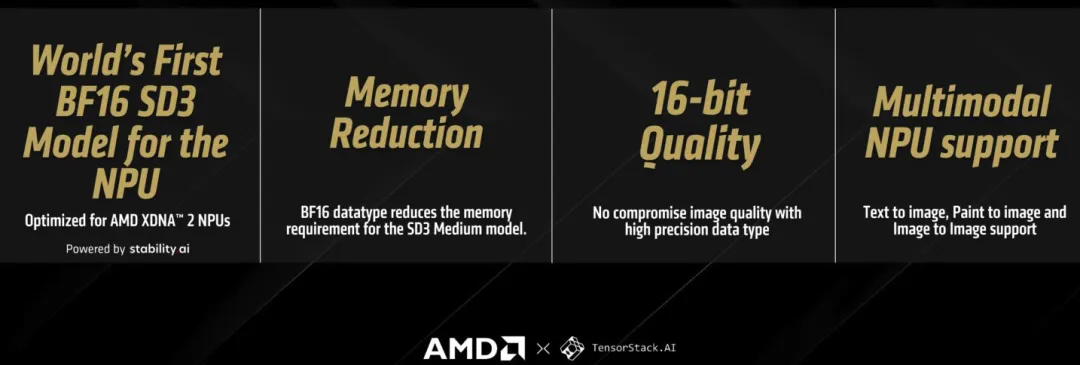
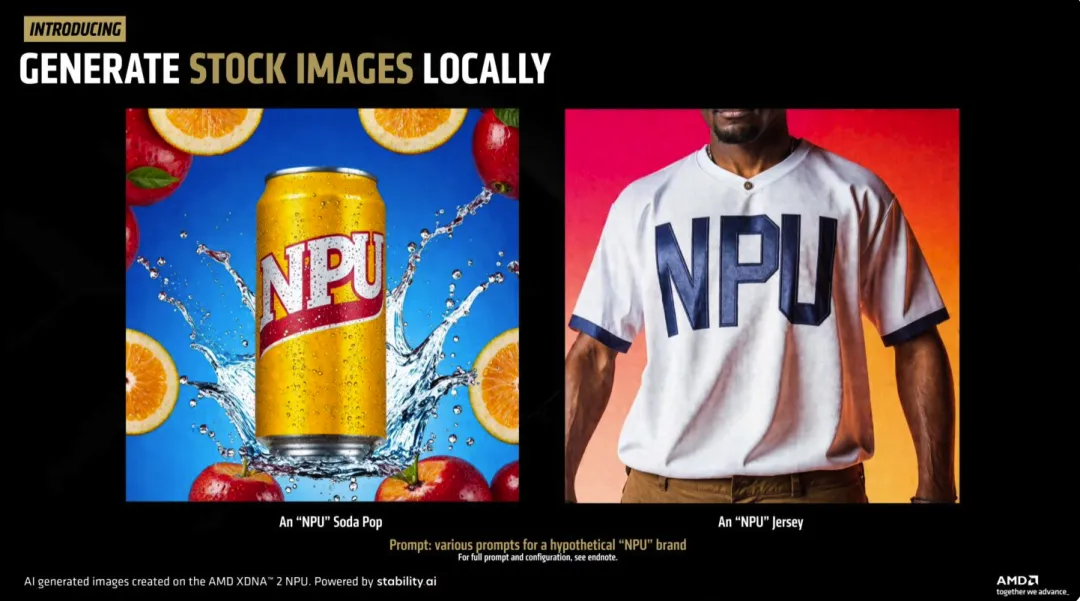
AMD has released an optimized version of Stable Diffusion 3 Medium designed to run on its XDNA 2 neural processing unit (NPU) using BF16 floating-point precision.
The optimization is designed to reduce memory requirements while improving the efficiency of local text-to-image generation. The model is available for testing through the Amuse 3.1 Beta application on compatible AMD Ryzen AI systems.
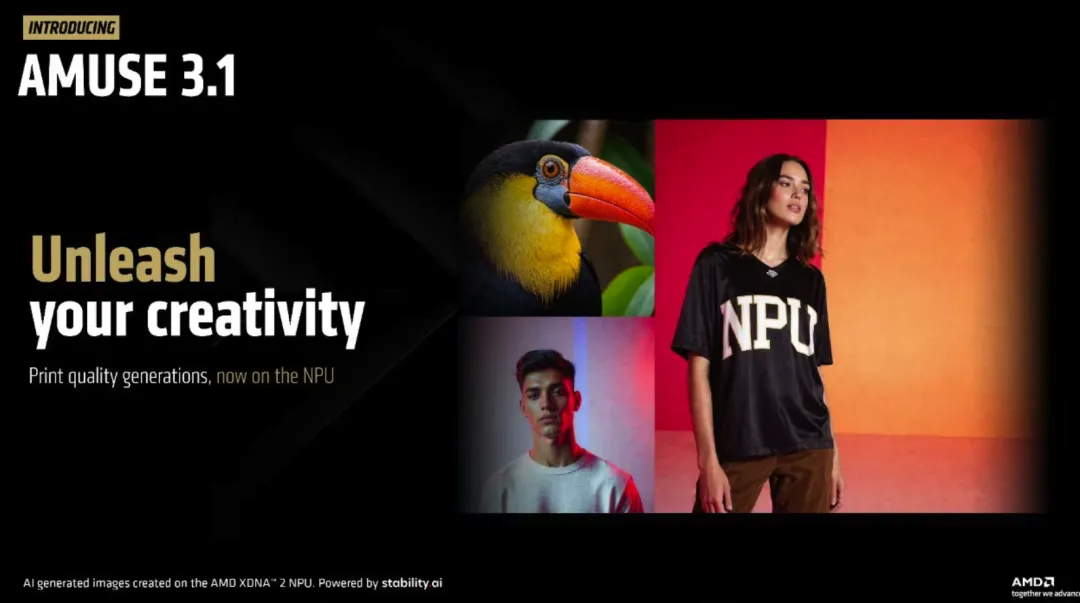
Stable Diffusion 3 Medium is a text-to-image diffusion model developed by Stability AI. Compared with conventional deployments that can require substantial system memory, AMD’s optimized implementation is designed to make local inference more practical on AI laptops.
According to AMD’s stated configuration, generating a 1024×1024 image can require around 9 GB of memory with the optimized implementation, compared with more than 16 GB for a conventional configuration. This allows compatible laptops with 24 GB or more of system memory to run the model without relying on aggressive quantization.
🧠 XDNA 2 NPU: Accelerating On-Device AI #
AMD’s XDNA 2 architecture is designed specifically for AI workloads in Ryzen AI processors.
The NPU provides dedicated hardware for neural-network computation, allowing AI workloads to execute independently of the CPU and GPU in supported applications.
AMD’s Ryzen AI 300-series processors combine:
- Zen 5 CPU cores
- RDNA 3.5 integrated graphics
- XDNA 2 NPU
- More than 50 TOPS of total AI processing capability on supported configurations
The NPU also supports data formats such as BF16, which is particularly useful for neural-network workloads.
Why BF16 Matters #
BF16 uses the same 8-bit exponent width as FP32 but reduces the mantissa to 7 bits.
This gives BF16 considerably lower storage and memory-bandwidth requirements than FP32 while preserving a similar dynamic range.
For large neural-network operations, the reduced data size can lower memory traffic and make matrix operations more efficient on hardware designed to process BF16 workloads.
For diffusion models, the objective is to maintain useful numerical behavior while reducing the amount of data that must be moved through the compute pipeline.
💻 Ryzen AI Hardware Requirements #
AMD’s optimized Stable Diffusion 3 Medium implementation targets systems equipped with sufficiently capable XDNA 2 NPUs.
The Ryzen AI 300 family is one of the primary platforms for the workload. For example, the Ryzen AI 9 HX 370 combines:
- 12 CPU cores
- 16 RDNA 3.5 graphics compute units
- XDNA 2 NPU
- Support for high-capacity LPDDR5X memory configurations
Systems with 24 GB or more of system memory provide more practical headroom for local image-generation workloads.
Higher-performance Ryzen AI MAX+ systems target more demanding local AI workloads and provide additional compute resources for professional applications.
Recommended System Configuration #
A practical configuration for testing the optimized model includes:
| Component | Recommended Configuration |
|---|---|
| Processor | AMD Ryzen AI 300 or compatible Ryzen AI MAX+ |
| NPU | XDNA 2 |
| AI Performance | 50 TOPS-class configuration or higher |
| System Memory | At least 24 GB |
| Software | Recent AMD Adrenalin driver |
| Application | Amuse 3.1 Beta |
| Model | AMD-optimized Stable Diffusion 3 Medium |
Exact performance will vary according to the processor, memory configuration, driver version, application settings, and image-generation workload.
🎨 Running Stable Diffusion 3 Medium Locally #
The optimized model is integrated into Amuse 3.1, AMD’s local AI image-generation application.
A typical setup involves:
- Install the latest compatible AMD Adrenalin graphics driver.
- Install the Amuse 3.1 Beta application.
- Enable the application’s high-quality mode.
- Enable the XDNA 2 Stable Diffusion offload option.
- Enter a text prompt and start image generation.
For example:
a serene lakeside sunrise, cinematic lighting, detailed landscape
The application then uses the supported AI hardware to generate the image locally.
Because the workload runs on the device, image generation does not inherently require a cloud API or continuous internet connection once the necessary software and model assets are installed.
🔍 Built-In Upscaling and Secondary Processing #
The optimized workflow can also use an additional processing pipeline for image enhancement.
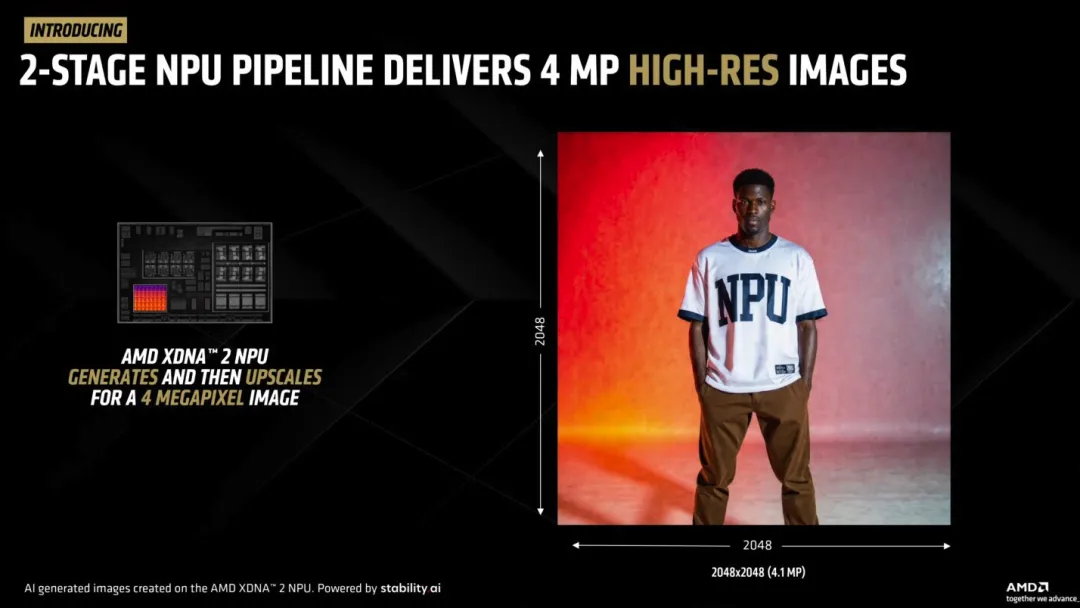
A generated 1024×1024 image can be processed to produce a 2048×2048 output, effectively increasing the image from approximately 2 megapixels to 4 megapixels.
Super-resolution techniques use neural-network processing to reconstruct additional detail rather than simply enlarging pixels through conventional interpolation.
This can be useful for:
- High-resolution displays
- Print-oriented graphics
- Concept development
- Social-media assets
- Product visualization
- Design iteration
Keeping the processing pipeline local also means users can generate and enhance images without transferring source prompts or generated content to an external service.
🖌️ Practical Applications for Local AI Image Generation #
An optimized diffusion model running directly on an AI laptop can be useful for a range of creative workflows.
Graphic Design #
Designers can generate multiple concepts quickly and refine prompts iteratively.
For example:
technology company logo, blue tones, abstract geometric shapes,
minimalist design, clean vector-style composition
Multiple generated concepts can then serve as starting points for further manual editing.
Content Creation #
Local image generation can also assist with:
- Blog illustrations
- Presentation graphics
- Marketing concepts
- Product mockups
- Background generation
- Personalized artwork
The main advantage is that the generation workload can remain on the local machine rather than requiring every prompt and image to be uploaded to a cloud service.
Offline Workflows #
Local inference is particularly useful in environments where connectivity is limited.
A compatible laptop can continue processing prompts and generating images while disconnected from the internet, provided the required models and software are already installed.
This can be useful for travel, field work, or organizations that prefer to keep creative assets inside a controlled environment.
🤝 AMD and Stability AI’s Continuing Collaboration #
AMD’s work with Stability AI follows earlier efforts to optimize generative AI models for its NPU hardware.
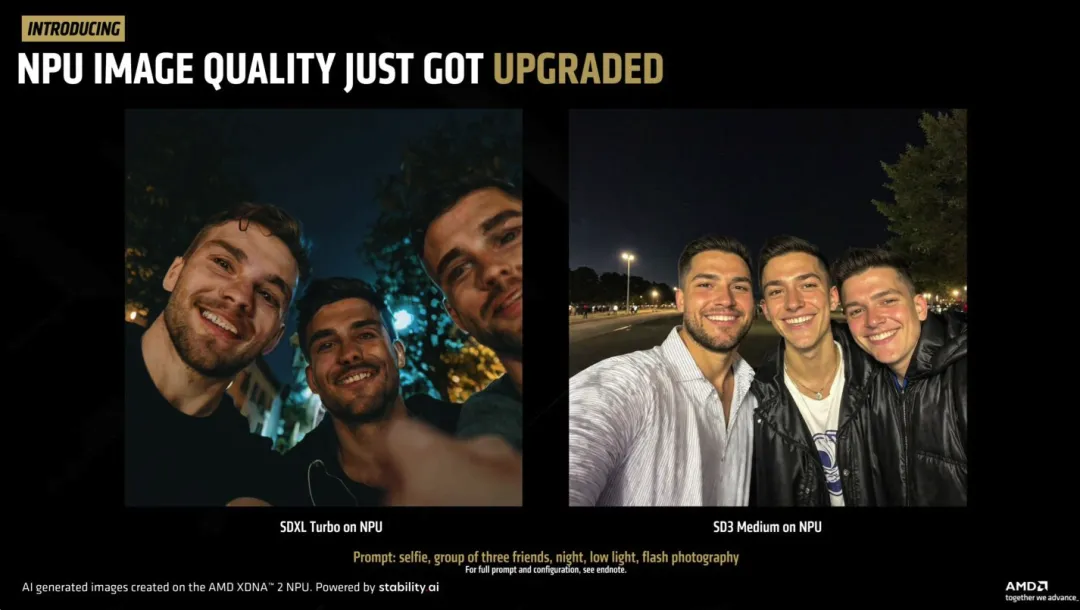
At Computex 2024, AMD highlighted an SDXL Turbo implementation optimized for XDNA 2. That implementation used FP16-oriented processing and was designed to accelerate text-to-image generation on Ryzen AI hardware.
Stable Diffusion 3 Medium extends the concept to a newer model architecture and focuses on making local inference more memory-efficient.
The broader strategy is to move increasingly capable generative AI models from cloud infrastructure onto consumer devices.
⚙️ How BF16 Fits Into Diffusion Inference #
The choice of BF16 is important because diffusion models perform large numbers of numerical operations during the denoising process.
BF16 provides:
- 8-bit exponent representation
- 7-bit mantissa
- 16-bit storage per value
- Lower memory requirements than FP32
- Reduced memory bandwidth requirements compared with FP32
The larger exponent range compared with some lower-precision formats helps retain numerical range while still reducing the amount of data processed.
This makes BF16 an attractive precision format for AI accelerators designed around mixed-precision workloads.
🧮 Stable Diffusion 3 Medium Architecture #
Stable Diffusion 3 Medium uses a more sophisticated architecture than earlier Stable Diffusion generations.
Its processing pipeline includes components such as a variational autoencoder (VAE) and transformer-based diffusion components that process the latent representation and conditioning information.
The VAE handles conversion between image and latent representations, while the diffusion network performs the iterative denoising process used to construct the final image.
AMD’s optimization focuses on adapting the model’s numerical representation and execution pipeline for efficient operation on XDNA 2 hardware.
The objective is not simply to reduce model size. The broader goal is to map the workload efficiently onto the NPU’s available compute and memory resources.
🔋 Why NPUs Matter for AI Laptops #
One of the primary advantages of an NPU is power efficiency.
Unlike a CPU or GPU that must handle many different types of workloads, an NPU is specifically designed around neural-network operations.
During supported AI workloads, this allows the NPU to handle dedicated AI computation while leaving the CPU and GPU available for other tasks.
For laptops, this can be particularly important because sustained AI workloads can otherwise place significant pressure on power and thermal budgets.
The exact power consumption and performance characteristics depend on the processor, workload, driver, and application configuration, so peak NPU specifications should not be treated as equivalent to sustained application performance.
🌐 Local AI and the Open-Source Ecosystem #
Local generative AI also benefits from the broader open-source model ecosystem.
Users can obtain compatible model weights through platforms such as Hugging Face and integrate supported models into custom workflows where licensing permits.
For developers, this creates opportunities to build applications around local inference rather than relying exclusively on cloud APIs.
Potential use cases include:
- Educational visualization
- Scientific illustrations
- Concept art
- Personalized artwork
- Local content-generation tools
- AI-assisted design applications
For example, an educational application could generate an illustration from a prompt such as:
scientific diagram explaining quantum entanglement,
clean educational layout, labeled components
The resulting image could then be incorporated into a larger local workflow.
📊 AMD’s NPU Strategy for Generative AI #
The Stable Diffusion 3 Medium optimization illustrates a broader direction for AI PCs: moving increasingly capable AI workloads from discrete cloud infrastructure to local processors.
| Technology | Role |
|---|---|
| Zen 5 CPU | General-purpose processing |
| RDNA 3.5 GPU | Graphics and parallel compute |
| XDNA 2 NPU | Dedicated AI inference |
| BF16 | Reduced-precision AI computation |
| Stable Diffusion 3 Medium | Local text-to-image generation |
| Amuse | User-facing AI application |
The important development is the combination of these components rather than any single specification.
A capable NPU is only useful when applications and models are optimized to use it effectively. AMD’s work on Stable Diffusion demonstrates how model-level optimization can turn dedicated AI hardware into a practical application feature.
🏁 The Bigger Picture #
AMD’s optimized Stable Diffusion 3 Medium implementation demonstrates how AI model optimization, reduced-precision computation, and dedicated NPUs can work together to enable local generative AI on laptops.
Using BF16 reduces memory requirements and can improve computational efficiency on compatible XDNA 2 hardware. Combined with sufficient system memory and software support through Amuse, this makes higher-quality text-to-image generation more practical on mobile systems.
The longer-term significance extends beyond image generation. As AI PC hardware evolves, the same approach can potentially be applied to other workloads such as video generation, speech processing, language models, and 3D content creation.
The key challenge will be maintaining a strong connection between model architecture, numerical precision, runtime software, and specialized accelerator hardware. When those layers are optimized together, NPUs become more than a specification on an AI laptop—they become practical local compute engines for increasingly sophisticated generative workloads.